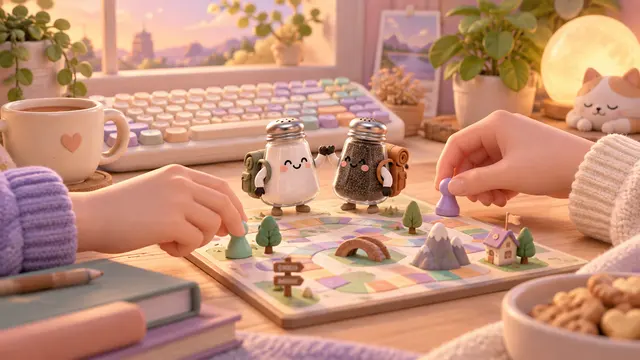


Choose solo or local co-op
Solo mode lets you control one shaker and leave the other on a switch or at a safe waiting point. Use Tab or the character portraits to change the selected shaker. In local co-op, both partners can move independently on the same keyboard. This is a shared-screen game; these controls do not create an online invitation or a remote room.
| Action | Salt | Pepper |
|---|---|---|
| Local keyboard movement | A / D; W to jump | Left / Right; Up to jump |
| Special route | Stand next to ice to melt it | Cross marked hot pans |
| Hazards to avoid | Water and steam | Water and steam |
Solve a room by giving both partners a job
- Inspect both doors and the route between them. Each shaker must reach its own marked door.
- Send the right character to the obstacle. Wait by ice with Salt until the visible melting meter finishes. Do not ask Pepper to do Salt’s job.
- Use a safe waiting point. In solo mode, park one shaker while moving the other. An inactive partner can still fall or ride a moving platform.
- Check switches and relays. A pressure plate stays useful while a partner stands on it; a relay on the other side can help keep a route available.
- Bring both partners home. One can wait at its door while you guide the other. You do not need to press two arrival inputs at exactly the same instant.
A simple cooperation pattern
When a plate opens a gate, leave one shaker on the plate and send the other through. Look for a relay beyond the gate before moving the first partner away. If you release the plate too early, the gate can close while the other character is still on the wrong side. In solo mode, switching selection does not freeze the inactive character in mid-air.
Playing with touch controls
On a small touchscreen, use solo mode with the large movement buttons and character portraits. Independent two-player touch pads need a viewport at least 760 pixels wide. A narrow phone screen should not be presented as a comfortable two-person touch setup. Use the overview control when the camera follows one partner and the other is off-screen.
Common questions
Do we need two accounts?
No. Local co-op uses one device and one shared screen.
Can Pepper cross water?
No. Pepper’s hot-pan ability is not water protection. Water and steam are hazards for both shakers.
Why did both characters return after a fall?
The game uses shared checkpoints. A hazard can restore both partners to their last shared checkpoint.
Can I play alone?
Yes. Select solo mode and switch characters with Tab or the portraits to handle the two roles in sequence.